Autonomous Robot Navigation with WebSocket Coordination
This was our final project for EE31, where we built a fully autonomous robot that could navigate mazes, follow colored lanes, and even coordinate with another robot through real-time WebSocket communication. The project pushed us to integrate hardware sensors, motor control, WiFi networking, and state machine logic into one cohesive system. What started as a simple line-following robot evolved into something that could handle multiple navigation modes and respond to remote commands in real-time.
Project Overview
We built a state machine-based robot navigation system running on an Arduino Nano 33 IoT. The robot connects to WiFi, establishes a WebSocket connection to a server, and then operates in one of several modes based on configuration. The system supports solo navigation for independent maze solving, joint navigation where two robots coordinate their progress, Go Beyond mode for live remote control, and a calibration menu for tuning parameters on the fly.
The real challenge wasn't just getting the robot to move, it was making all these systems work together reliably. Color detection had to be consistent across different lighting conditions, WebSocket messages had to arrive in time for coordination, and the state machine had to handle edge cases without getting stuck. We spent a lot of time debugging timing issues and fine-tuning thresholds.
- GitHub Repositoryjpizzzel/Junior-Design-Project
- WebSocket Web Interfaceee31_websocket_page
- PlatformArduino Nano 33 IoT (WiFiNINA)
- LanguageC++ (Arduino)
- Key LibrariesWiFiNINA, ArduinoHttpClient, WebSocketClient
- ContributorsPaul, Michael, Jonah, Daniel
Hardware Setup
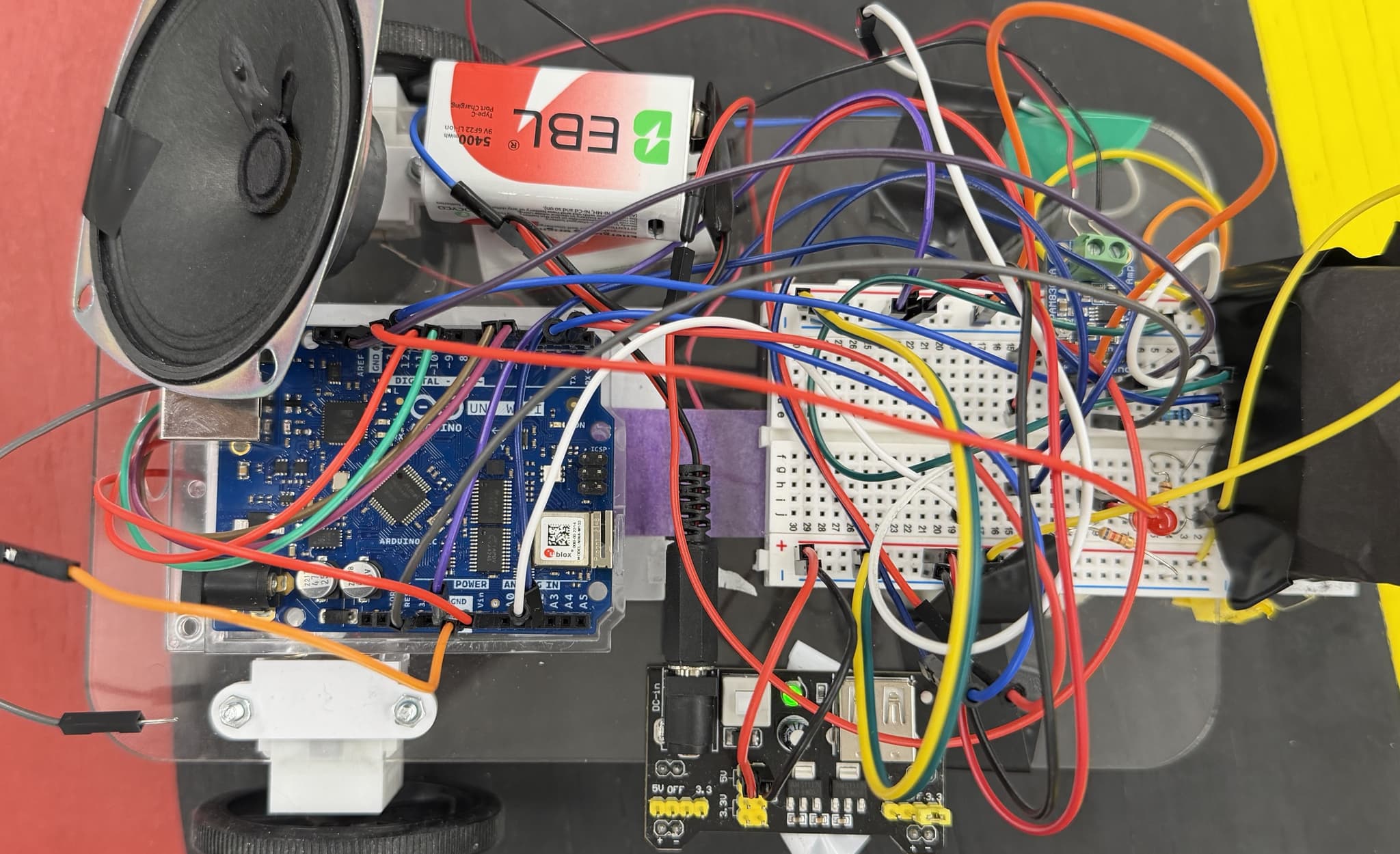
The robot uses a fairly standard setup, but getting everything wired correctly and positioned right took some trial and error. We have an IR distance sensor on pin A2 for wall detection, a color sensor reading analog values on A1, and red and blue LEDs on pins 1 and 2 for illumination. The motor driver uses an H-bridge configuration with PWM control for speed and direction. There's also a buzzer on pin 11 for the horn feature in Go Beyond mode.
The color sensing setup was particularly tricky. We toggle between red and blue LED illumination, take readings with each, and use those values to classify the color. The thresholds are hardcoded, so lighting and sensor placement matter a lot. We spent hours calibrating this in different lighting conditions to get consistent results.
Navigation Modes
The robot supports four main navigation modes, selected via the NAV_TYPEparameter during calibration:
| NAV_TYPE | Mode | Description |
|---|---|---|
| 1 or 2 | Solo Navigation | Independent maze solving following colored lanes |
| 3 or 4 | Joint Navigation | Two robots coordinate progress through server messages |
| 5 | Go Beyond | Live remote control via WebSocket commands |
| 9 | Milestone Demo | Special demo mode for presentations |
Solo Navigation
In solo mode, the robot executes a fixed route using three main functions.goForwardUntilWall() drives forward until the IR sensor detects a wall.goForwardUntilColor(targetColor) drives until it reaches a specific color marker. followColorUntilWall(targetColor) attempts to follow a colored lane, adjusting its path to stay on track, and stops when it hits a wall. Turning is controlled by pivot_delay_90, which we could tune via the calibration menu. Getting the turn timing right was crucial. Too short and it would miss turns, too long and it would overshoot.
Joint Navigation
This was the most interesting mode. Two robots coordinate their progress through WebSocket messages. Bot 1 sends signals like B1:START, B1:AT_RED,B1:ACK_AT_BLUE, and B1:HOME. Bot 2 sends B2:START,B2:AT_BLUE, and B2:HOME. Each bot waits for the other's milestone message before proceeding. The timing had to be perfect. If one robot sent a message but the other wasn't listening, they'd get out of sync and the whole coordination would break down. We added a lot of error handling and retry logic to make this robust.
Go Beyond Mode
Go Beyond mode turns the robot into a remotely controlled vehicle. It continuously reads WebSocket messages and maps keywords to motion commands: FORWARD,BACKWARD, LEFT, RIGHT, HONK, andSTOP (which exits the mode). If no recognized movement keyword is present, the robot defaults to stopping. This mode was fun to demo. We built a web interface that let people control the robot in real-time, and the low latency of WebSocket made it feel pretty responsive.
Calibration Menu
After connecting to the WebSocket server, the robot enters a calibration menu that's completely driven by WebSocket commands. This was a game-changer for testing. We could adjust parameters without re-uploading code. The menu accepts commands like IRto set the IR limit threshold, SPEED to adjust navigation speed,TYPE to select navigation mode, and PIVOT to tune turn timing. Each command opens a small loop that accepts a numeric value or CANCEL to keep the current setting. Sending START exits calibration and begins navigation.
Color Classification
The color detection system maps readings to four color codes: 0 for red, 1 for blue, 2 for yellow, and 3 for black. The findColor() function toggles the red and blue LEDs, takes readings with each, and compares against hardcoded thresholds. This approach worked, but it was sensitive to lighting conditions. We had to recalibrate whenever we moved to a different room or changed the ambient lighting. In a production system, we'd probably want adaptive thresholds or a more sophisticated color detection algorithm, but for this project, the hardcoded values worked well enough once we found the right numbers.
WebSocket Communication
The WebSocket integration was crucial for both coordination and remote control. Most outbound messages are sent in the format CLIENT_ID | payload, which lets the server identify which robot sent the message. Incoming messages get cleaned byextractPayload(), so our logic typically compares against simple payload strings. We ran the server either locally using Docker or on a class server, and the robot had to connect to the server's LAN IP (not localhost, since the Arduino is a different device on the network).
Debugging WebSocket communication was interesting. We printed raw messages and extracted payloads over Serial, which helped us catch issues like message formatting problems or timing mismatches. The Serial output became our primary debugging tool. We could see exactly what messages were being sent and received, which made it much easier to track down coordination bugs.
Challenges and Solutions
One of the biggest challenges was getting reliable color detection. Lighting changes would shift our thresholds, and we'd have to adjust the hardcoded values. We ended up spending a lot of time repositioning LEDs, adjusting sensor distance and angle, and testing in different lighting conditions to find thresholds that worked consistently.
Turn accuracy was another pain point. The pivot_delay_90 parameter controlled how long the robot turned, but battery level and surface friction could change turn timing significantly. We made the calibration menu specifically to address this. Being able to tune turn timing on the fly without re-uploading code saved us a lot of time during testing.
WebSocket connectivity issues were frustrating at first. The Arduino couldn't connect to localhost, so we had to use the laptop's LAN IP. We also had to make sure the server was actually listening on the correct port and that both devices were on the same WiFi network. Once we got the networking right, the WebSocket communication was surprisingly reliable.
What I Learned
Integration is Harder Than Individual Components
Each piece of this project (color detection, motor control, WebSocket communication, state machine logic) worked fine in isolation. But getting them all to work together reliably was the real challenge. Timing issues would cause the state machine to get stuck, WebSocket message delays would break coordination, and sensor noise would throw off navigation. This project taught me that system integration requires thinking about how all the pieces interact, not just whether each piece works on its own. It also reinforced the importance of good debugging tools. The Serial output and WebSocket message logging were essential for understanding what was actually happening when things went wrong.